
HALO®, HALO AI, and HALO Link 4.4 Features and Functionalities
In this blog post, you can learn about the new features coming in version 4.4 of HALO®, HALO AI, and HALO Link, when to expect your chance to upgrade, and where to find user guides, release notes, and tutorial videos.
What new features are included in the 4.4 release?
HALO® 4.4
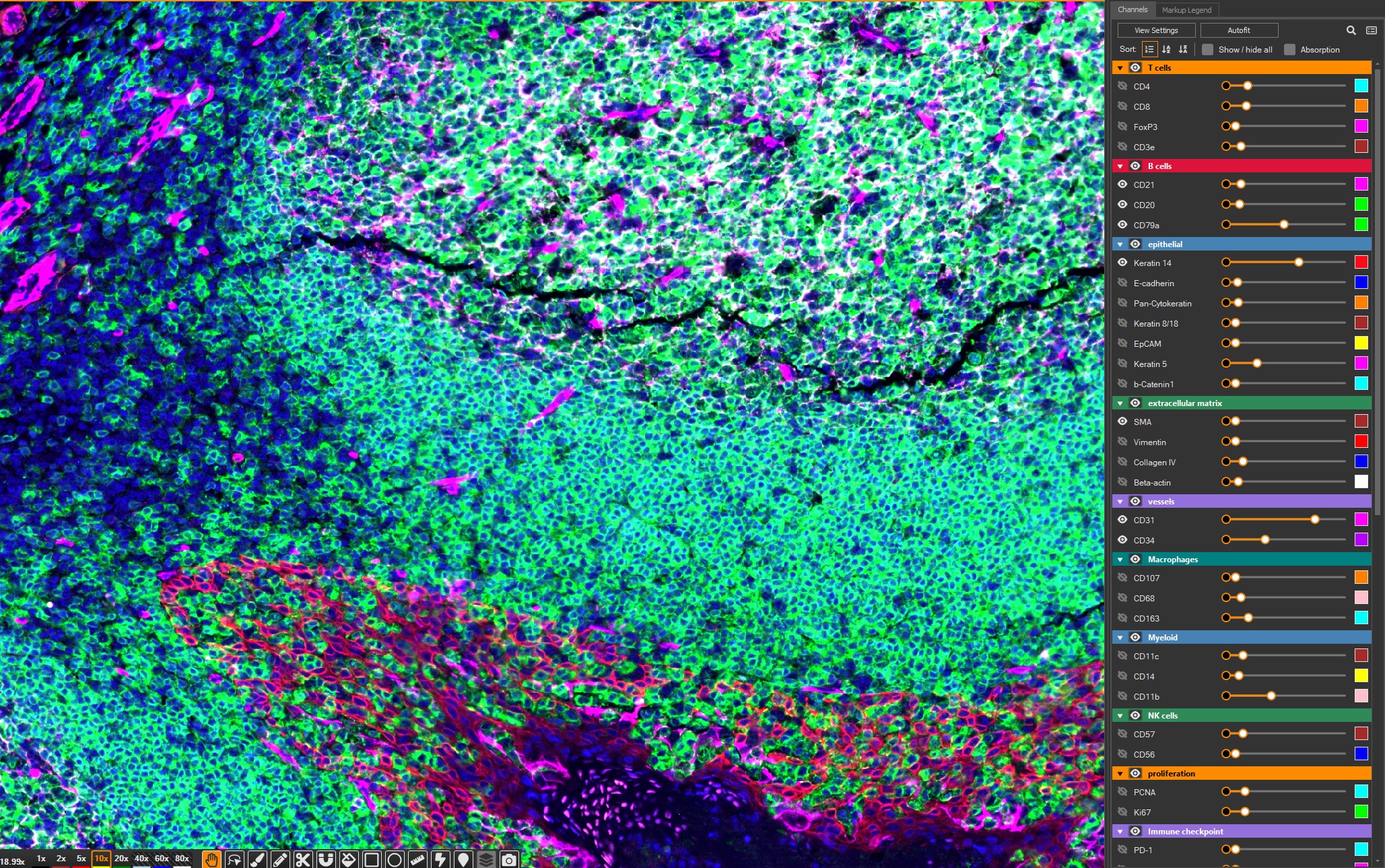
HALO 4.4 introduces major improvements to fluorescent channel management, quality control, performance, and everyday workflows. Users have improved control of complex fluorescent images with expanded channel management. Search and sort channels, create and save channel groups, and fine-tune black-in and white-in values directly from the expanded channel list. With Autofit available right where you need it, optimizing image display takes fewer clicks.
The new Object Data Gallery makes reviewing results more intuitive. You can quickly inspect randomly selected objects alongside their associated data values, streamlining quality control and helping spot issues faster.
HALO 4.4 also delivers a smoother experience with faster annotation, quicker object data loading, and improved image viewer performance. Analysis data can also be moved more easily with new interoperability features, including registration transform file export and GeoJSON annotations compatible with the Xenium analysis platform.
The latest version makes common tasks simpler with quality-of-life improvements including the ability to edit image paths when files are moved or renamed on disk, jump directly to a study from the Image tab, search and batch delete TMA blocks, and access more detailed system information and export HALOinformation.json.
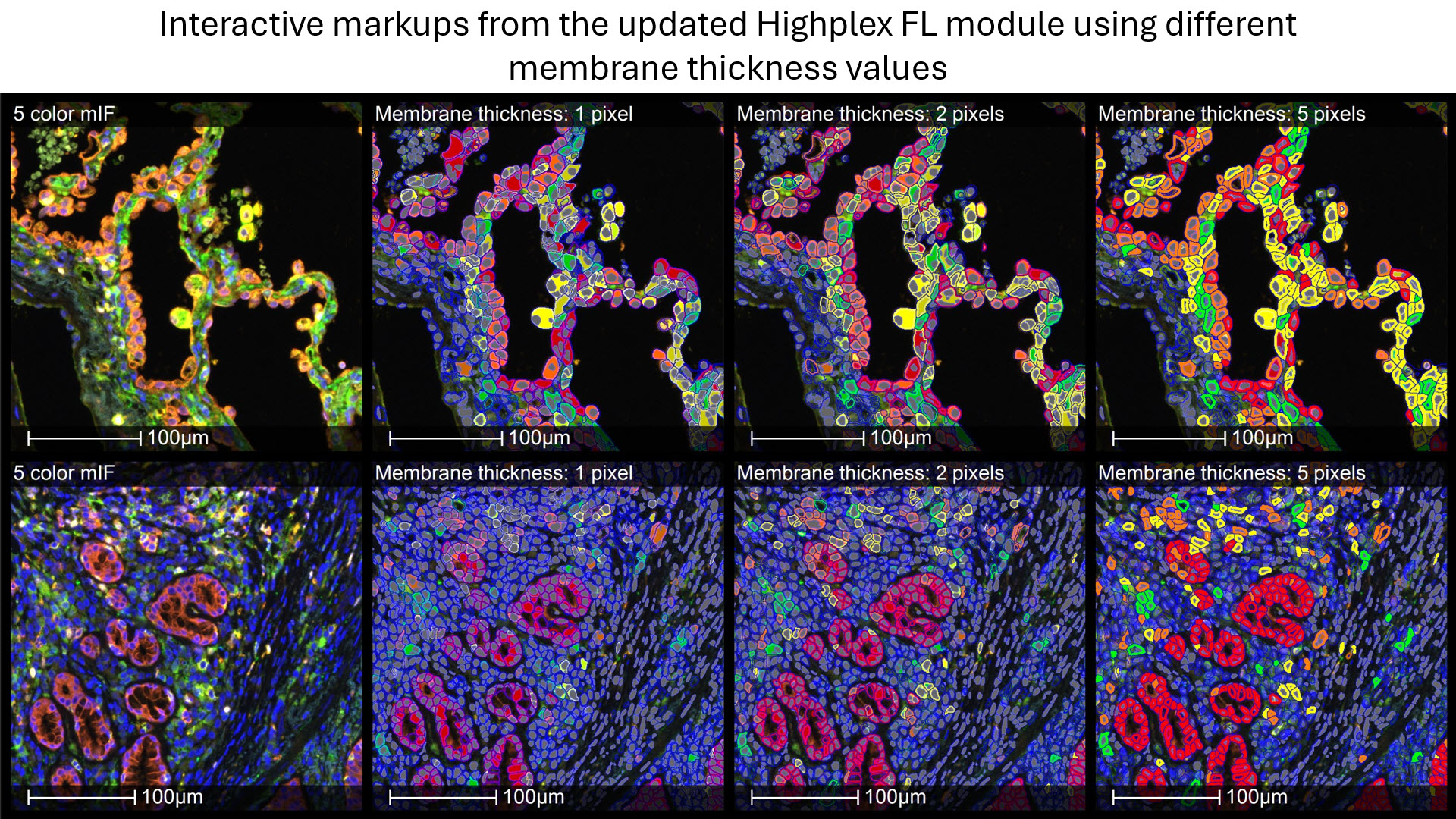
Lastly, HALO 4.4 introduces updates to the Multiplex IHC and Highplex FL modules, including adjustable membrane thickness and the ability to control post-processing on the module side for embedded AI segmentation modules. Additional enhancements include Threshold Assist compatibility for brightfield images and new object data outputs for nuclear and cellular morphology, signal OD/intensity heterogeneity, and Haralick texture features.
HALO AI 4.4
HALO AI 4.4 delivers new AI capabilities and performance improvements designed to help researchers and pathologists analyze images more efficiently, work with larger datasets, and get more from their available computing resources.
HALO AI 4.4 introduces two new AI architectures to expand and improve image analysis capabilities: UNet++ is a deeper architecture designed for more complex masking classification tasks. It is particularly well suited to applications where subtle differences between classes can be challenging to distinguish, enabling more sophisticated segmentation and classification.
Phenotyper V2 is the next generation of the Object Phenotyper, powered by EfficientNet, for an improved classification experience and enhanced object phenotyping performance.
Mixed precision is now available for both training and inference. By reducing VRAM requirements, mixed precision allows users to make more efficient use of their hardware while also increasing analysis speed—helping accelerate AI workflows without requiring additional computing resources.
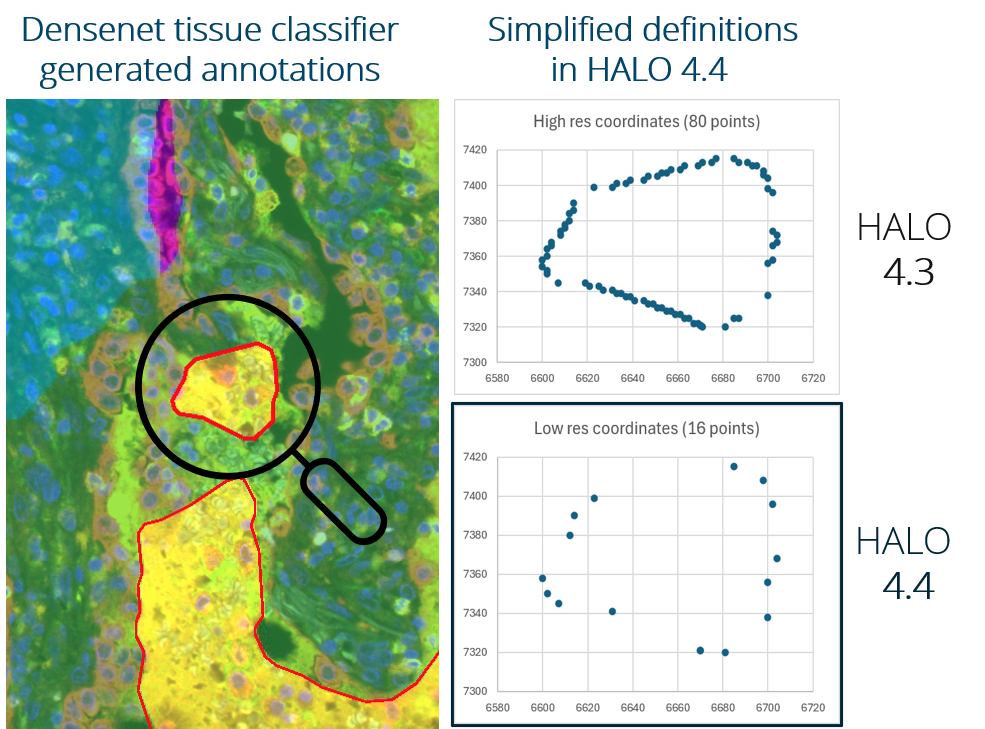
HALO AI 4.4 improves the performance of large annotation sets by reducing annotation complexity. Users can experience faster loading, display, and interaction with large numbers of annotations, accelerating key workflows including Classifier-to-Annotation, the AI Annotation Tool, and the Object Phenotyper highlighter.
Lossless compression for markup data introduced into version 4.4 preserves the full fidelity of information stored in HALO. When markup data are decompressed for use outside of HALO, the complete information is retained—providing confidence that valuable analysis data remain intact across workflows.
HALO Link 4.4
HALO Link 4.4 delivers a range of improvements designed to make image viewing, study navigation, figure creation, and cloud-based image management easier and more efficient.
The platform now includes a streamlined installer for HALO Link-only environments, along with improved license expiration notifications to help avoid unexpected interruptions in access.
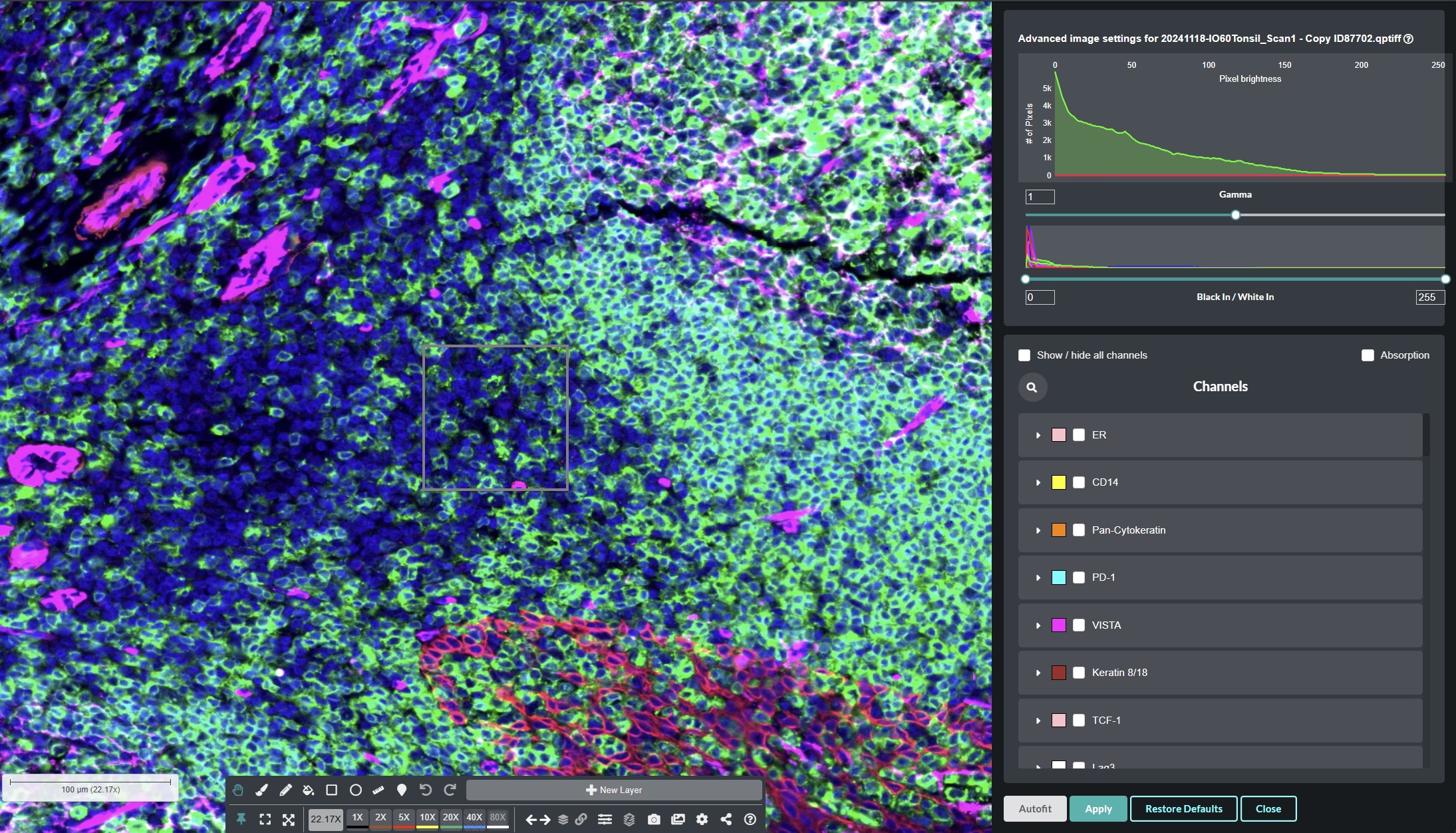
Advanced fluorescent settings make image viewing and display adjustments easier. Autofit provides a quick way to optimize image display, while updated channel intensity controls give you greater flexibility to fine-tune the appearance of individual channels.
Improved study-tree navigation helps you find what you need faster. Collapse All lets you quickly return to a root-level view of your studies, while HALO Link now maintains your location in the study tree when moving between the viewer and study image grid.
HALO Link 4.4 also includes several quality-of-life improvements to make common tasks more efficient, including the ability to reset view tracking at the study level, save Figure Maker files as a new figure without overwriting the original, display the number of selected slides directly in the image grid, and sort images in Trays using metadata for faster organization and review.
HALO Link 4.4 expands cloud storage capabilities with native support for storing NDPI files on S3 cloud object storage, in addition to SVS images.
Where can I learn more about HALO, HALO AI, and HALO Link 4.4?
Check out these resources to learn more about the latest release. You will need an account on our new Learning Portal to access these resources. If you do not already have an account, you can create one here.
SUPPORT DOCUMENTATION
The documentation below can be found on the Resources page of our new Learning Portal. Search for “4.4” using the box at the top of the page to find all relevant documents.
- HALO 4.4 User Guide
- HALO AI 4.4 User Guide
- HALO Link 4.4 User Guide
- HALO and HALO AI 4.4 Release Notes
- HALO Link 4.4 Release Notes
- HALO and HALO Link 4.4 Administrator Guide
TUTORIAL VIDEOS
- HALO:
- HALO AI:
- HALO Link:
WEBINAR
When can I expect to receive my 4.4 upgrade?
Indica Labs’ Technical Solutions team will be sending an email out to customers with eligible Software Maintenance and Support (SMS) plans.
If you haven’t already, please add the following emails to your safe sender list to make sure our emails make it to you and not your spam folders: support@indicalab.com, info@indicalab.com, and marketing@indicalab.com.
Once you receive this email and submit your upgrade request, our Technical Solutions team will work with you to schedule your installation. If your HALO, HALO AI, or HALO Link licenses do not have an active SMS plan or you are unsure of your plan status, submit this form and we’ll be in touch with you soon.
If you have questions regarding the release, feel free to reach out to support@indicalab.com.